


TL;DR: On most Indian factory floors, put a fanless industrial PC inside the touchscreen information kiosk. Dust, heat and round-the-clock running are hard on fans. Go with active cooling only when the job needs a processor above 35 W or a GPU, or when the kiosk stands in a clean, air-conditioned zone.
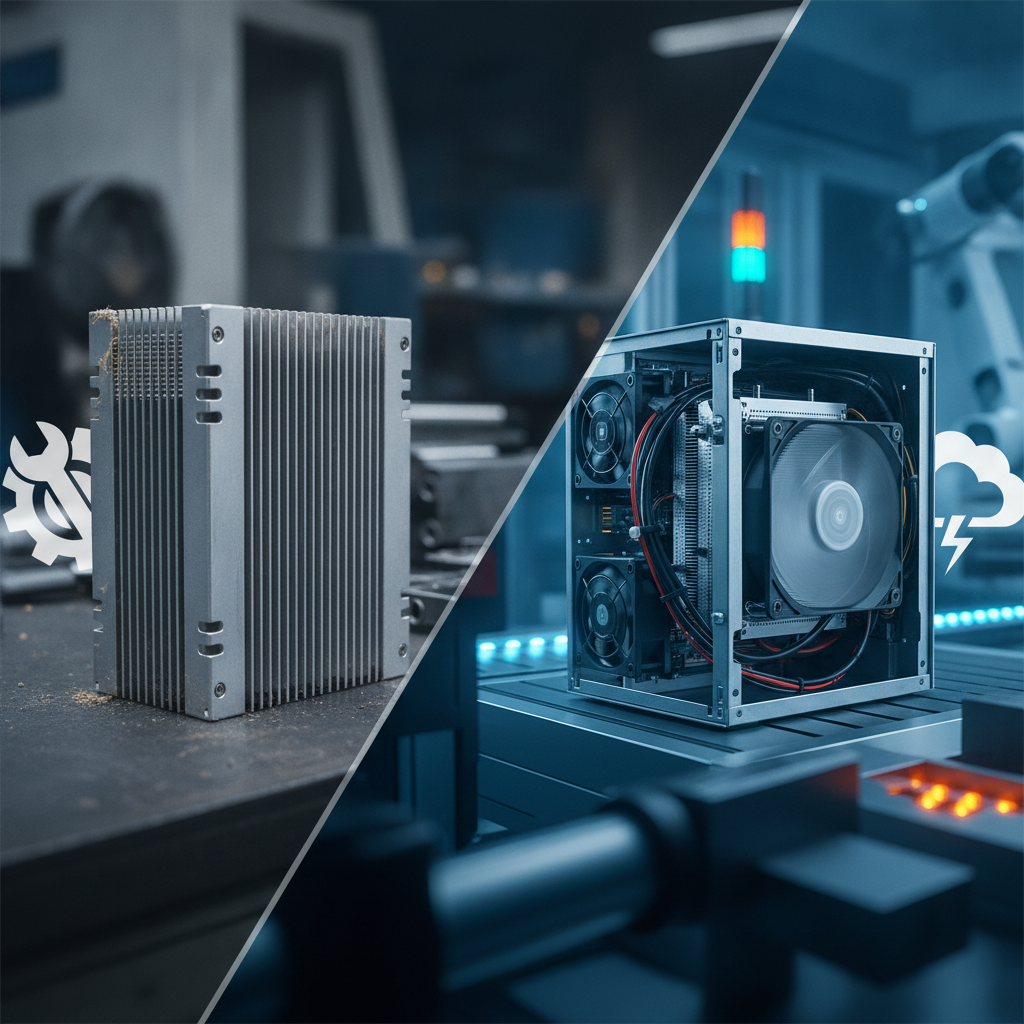
Any information kiosk supplier India businesses consult ought to quote both options, and the enclosure’s thermal design counts as much as the PC itself.
Key takeaways
- Going fanless gets rid of the part most likely to break, and it makes sealed, dust-resistant enclosures realistic.
- Passive cooling copes comfortably up to about 25 to 35 W of processor power. Beyond that, chassis size and case temperature set the ceiling.
- Active cooling delivers more compute per rupee and per litre. The catch is filtered airflow and a named person who looks after fans and filters.
- A sealed kiosk cabinet traps heat from the display and power supply. In the worked example below, the air inside climbs about 7.5 °C over ambient.
- Most shop-floor kiosks (SOP viewers, andon dashboards, visitor registration) run happily on a low-power processor, so fanless covers the bulk of them.
- Don’t settle for a “fanless” label. Ask suppliers for derating curves, ingress ratings and a soak-test report.
Table of contents
- What is the difference between fanless and active cooling industrial PCs?
- Why does cooling matter for a touchscreen information kiosk on a factory floor?
- Fanless vs active cooling: how do they compare for factory kiosks?
- Which cooling option fits which factory environment?
- How do you size the thermal budget of a kiosk enclosure?
- Where does active cooling still win?
- What does each option cost over five years?
- What mistakes do buyers make when choosing cooling?
- Factory kiosk cooling checklist
- What should you ask an information kiosk manufacturer India before you buy?
- How do you pilot both options in 90 days?
- Which prompts help you research factory kiosk suppliers?
- Summary and conclusion
- Frequently asked questions
Industrial Panel PCs & Displays
-
Industrial Panel PC Manufacturer India – Integrated computer and display systems for industrial automation, machine operation, and process monitoring.
-
Industrial Panel PC Supplier India – Industrial panel computers for control panels, production monitoring, and operator interfaces.
-
Fanless Panel PC Manufacturer – Fanless panel PCs designed for suitable industrial applications requiring compact, low-maintenance computing.
-
Industrial Touchscreen PC Supplier – Touchscreen computers for machine control, production monitoring, and industrial operator interaction.
-
Industrial Touch Screen Monitor Manufacturer – Touchscreen monitors for industrial equipment, automation systems, and interactive machine interfaces.
-
Industrial LCD Display Supplier India – LCD displays for industrial equipment, control panels, monitoring systems, and specialized installations.
-
Rackmount Touch Screen Monitor Supplier – Rackmount touchscreen monitors for control rooms, equipment racks, and operator workstations.
-
Industrial HMI Panel PC Supplier – Human-machine interface panel PCs for production lines, process control, and industrial operator interaction.
-
Open Frame Industrial Monitor Supplier – Open-frame monitors for integration into kiosks, machine panels, cabinets, and custom enclosures.
-
Custom Industrial Touch Panel PC – Customized panel PCs with suitable display sizes, mounting options, touch technologies, and computing specifications.
What is the difference between fanless and active cooling industrial PCs?
A fanless industrial PC inside a digital information kiosk pulls heat from the processor into a finned metal chassis and lets convection and radiation carry it away. No fan involved. An active cooling PC relies on fans, normally paired with a heatsink and sometimes ducting, to shove air across the hot parts.
On a factory kiosk the gap between the two shows up in three places: how well the unit tolerates dust, how much upkeep it demands and how much thermal headroom it has.
Inside a fanless design, the processor presses against a thermal block or heat pipe bonded to the chassis wall, which turns the entire case into the heatsink. The outer fins are the cooling system. Since nothing inside needs outside air, the unit can be fully sealed.
Active designs keep the familiar heatsink-and-fan pairing. Moving air carries off far more heat than still air does, so these machines cope with hotter processors. The price you pay is a part with bearings, an air path that collects dust, and a service interval.
Two terms on the spec sheet deserve attention. Thermal design power (TDP) is the heat a processor is built to shed under sustained load, as set out in Intel’s product documentation. Ingress protection (IP) is the dust and water rating defined in IEC 60529, and a fanless chassis makes the higher ratings much easier to reach.
The platform shifts things too. An Android touchscreen kiosk built on an ARM system-on-chip typically draws anywhere from a few watts up to about 15 W, so passive cooling comes almost automatically. An x86 Windows kiosk running an MES client, browser dashboards or a visitor app faces a genuine choice, and that is the point where a wrong call gets expensive.
Why does cooling matter for a touchscreen information kiosk on a factory floor?
A touchscreen information kiosk on a factory floor runs hotter and dirtier than the same unit in a lobby, and nobody keeps an eye on it. Fans feel the dust, heat and continuous duty first. One stalled fan can leave the screen frozen until a technician turns up. Cooling is a reliability decision, not a footnote.
Start with heat. The India Meteorological Department’s heatwave criteria begin at a 40 °C maximum for plains stations, and a press shop, foundry bay or dispatch dock can run hotter than the reading outdoors. Enclosed kiosks pile their own heat on top.
Dust is the next problem. Textile mills fill the air with lint, grinding bays with conductive metal particles, packaging lines with paper fibre. The fan drags all of it into the case, the heatsink clogs, and the processor throttles or shuts down.
Then there is duty cycle. Shop-floor kiosks often run 16 to 24 hours a day with no one watching. A fan in decline goes unnoticed until the screen freezes at shift change.
A shopping mall information kiosk, hospital information kiosk or setup from a banking kiosk manufacturer India trusts lives in cleaned, air-conditioned space, where either cooling type can last for years. Advice written for retail installations therefore transfers badly to plants. Typical factory jobs include SOP and drawing viewers at workstations, andon and OEE dashboards, a visitor information kiosk at the gate, attendance, tool-crib issue and canteen coupons.
Fanless vs active cooling: how do they compare for factory kiosks?
Fanless PCs come out ahead on dust tolerance, upkeep and graceful failure. Active cooling PCs lead on raw performance, compactness and purchase price. The table below leans on typical spec-sheet ranges, so read the vendor’s derating curve for your exact model before you trust any headline temperature.
| Criterion | Fanless industrial PC | Active cooling PC |
|---|---|---|
| Moving parts | None in the PC | One or more fans with bearings |
| Dust and oil mist | Sealed chassis; IP-rated kiosk enclosures are realistic | Needs filters, or swallows dust |
| Processor headroom | Comfortable to about 25 to 35 W TDP; more calls for a large chassis | 65 W and above, plus discrete GPUs |
| Operating temperature | Wide-temperature variants often specified around -20 to 60 °C | Often 0 to 40 or 45 °C unless industrial-rated |
| Maintenance | Wipe or blow off the fins | Filter cleaning, fan replacement |
| Failure mode | Gradual throttling as fins clog or ambient rises | Fan stall, then thermal shutdown |
| Noise | Silent | Audible, and louder as fans age |
| Upfront cost | Higher per watt of compute | Lower |
| Size and weight | Larger and heavier for equal performance | Compact |
The failure-mode row counts for the most. A fanless unit slows down and warns you that something is off, while a fan-cooled unit tends to die without notice. On an unattended kiosk, a slow fade beats a sudden stop.
Skip the noise row on a shop floor. Silence sells in hospitals and showrooms, but a press line drowns out any fan.
Which cooling option fits which factory environment?
Working with an interactive kiosk manufacturer India engineering teams consult usually starts with setting fanless cooling as the default for textile, foundry, automotive, food processing and warehouse settings. Either option works in air-conditioned plant offices and filtered clean areas. The table maps common Indian factory environments to a sensible first pick.
| Environment | Main stress | Better default | Note |
|---|---|---|---|
| Textile spinning and weaving | Lint, humidity | Fanless | Lint smothers fans within weeks; keep fins within reach for blow-off |
| Foundry, forging, heat treatment | Radiant heat, metal dust | Fanless, wide-temperature | Check derating; think about a shaded or cooled enclosure |
| Automotive assembly | Vibration, 24×7 duty | Fanless with SSD | Vibration cuts fan bearing life short |
| Electronics and precision assembly | ESD, particle control | Either | Fanless creates no particles; filtered fans are fine in AC zones |
| Food and beverage | Washdown, humidity | Fanless in IP65 kiosk enclosure | Stainless cabinet; shed heat through the enclosure wall |
| Warehouse and dispatch | Summer heat, dust, forklifts | Fanless | Keep out of direct sun |
| AC plant office, training room, canteen | Mild | Either | Let compute need and cost decide |
For information kiosk Bangalore installations in engineering and electronics plants, the climate is milder than on the northern plains, so fan-cooled units make more sense inside air-conditioned zones. Even so, dust control on the production floor settles the matter.
Illustrative example: A component plant puts 24 SOP viewers beside its machining cells as standalone touchscreen kiosks. Coolant mist and fine swarf drift onto the units, so the plant specifies fanless x86 boxes in sealed cabinets. The two kiosks in the air-conditioned quality lab get cheaper fan-cooled units.
How do you size the thermal budget of a kiosk enclosure?
A kiosk’s thermal budget is the total heat its enclosure has to dump into the surrounding air while the inside stays below the PC’s rated ambient. The PC is just one contributor. The display and power supply often put out more heat, so work out the enclosure first and choose the cooling type second.
Illustrative example: What follows is a back-of-envelope engineering estimate, not a test result. Picture a sealed painted-steel cabinet holding a 21.5-inch industrial display in a hot bay at 45 °C ambient.
- Add the heat sources. Display at high brightness 35 W, fanless PC 15 W, power supply and peripherals 8 W. Total 58 W.
- Estimate the dissipating area. Assume 1.4 m² of effective cabinet surface and a natural-convection coefficient of about 5.5 W/m²K, a common rule-of-thumb value.
- Calculate the rise. 58 W divided by (5.5 × 1.4) gives about 7.5 K.
- Add it to ambient. Internal air reaches about 52.5 °C.
- Compare with the PC rating. A fanless unit rated for 60 °C at full load squeaks through with a thin margin. A unit rated for 50 °C fails.
Drop a fan-cooled PC into the same cabinet and you gain nothing, since its fan merely stirs hot air that has nowhere to go. Sun load, radiant heat from furnaces and dust on the fins all push the figure higher, so run a soak test at your worst-case ambient.
The levers are down-to-earth ones. Bond the fanless chassis to the cabinet wall for conduction, schedule or auto-dim the display, shade the kiosk from sun, and choose a larger or finned enclosure. That is the heart of good kiosk thermal design, and it is where customized kiosk solutions India projects tend to earn their cost.
Where does active cooling still win?
Any experienced self service kiosk supplier knows active cooling wins when the workload demands more than about 35 W of sustained processor power, a discrete GPU or the lowest possible unit cost, and the kiosk stands where the air is clean and cool. It’s a legitimate choice, not a blunder, if you control the environment.
- Dual display information kiosk with 4K content. Two high-resolution outputs plus video playback can drive an integrated GPU hard.
- Vision workloads. Face-recognition attendance or PPE detection at the gate often wants a GPU or a high-TDP CPU.
- Heavy viewers. Large CAD assemblies at a design-review kiosk call for desktop-class performance.
- High-volume AC deployments. Spread across hundreds of canteen or office kiosks, the saving per unit adds up.
Working with a multimedia kiosk supplier offers another route: move the heat out of the enclosure. A thin-client kiosk streaming from an edge server leaves a low-power fanless endpoint on the floor and parks the hot hardware in a server room. It suits vision and CAD use cases best, as long as the plant network is dependable.
What does each option cost over five years?
Fanless units cost more up front and less to keep alive, while fan-cooled units flip that around. Where the two break even depends on dust load, cost per visit and the value of downtime. Plug your own numbers into the formula below instead of trusting a vendor’s claim.
Five-year cost equals purchase price, plus service visits multiplied by cost per visit, plus downtime hours multiplied by cost per hour, plus spares. Cost per visit covers technician time, permits and any need to halt a line or bring in a ladder or lift.
Illustrative example: Assume 40 kiosks in a dusty plant with filter cleaning every six weeks. That works out to about nine cleanings a year at 15 minutes each, or around 90 technician-hours annually. Add an assumed fan replacement per kiosk over three years, and the fanless premium could pay for itself inside the first two years.
In a clean AC office, the same arithmetic favours the cheaper fan-cooled unit.
Downtime is the number buyers forget. A dead gate kiosk builds a queue, and a dead andon display blinds the line during a shift. Put an honest rupee value on an hour of each.
What mistakes do buyers make when choosing cooling?
Most cooling failures trace back to buying on a label, overlooking the enclosure or leaving maintenance with no owner. These seven mistakes turn up again and again in shop-floor kiosk projects.
- Trusting the word “fanless”. A passive unit in a cabinet with no heat path to the outside still overheats.
- Reading the headline temperature. A 60 °C rating often holds only at reduced load. Check the derating curve.
- Forgetting the display. A bright panel can out-heat the PC. Ask for the display’s power at maximum brightness.
- Putting a fan-cooled PC in a sealed cabinet. It churns the same air and opens a dust path if vents exist.
- Specifying IP65 and then adding vents. The rating applies to the enclosure as built, so every cutout changes it.
- Using consumer mini PCs. They lack wide-temperature components, lockable connectors and long-life supply.
- Skipping the soak test. A kiosk that runs fine on a bench in October can throttle in a May heatwave.
Factory kiosk cooling checklist
Run through this list before you sign off on any shop-floor kiosk build. Every item has a pass-or-fail answer the supplier can give you in writing.
- Worst-case ambient temperature measured at the mounting spot, including sun and radiant heat.
- Total heat load of display, PC, power supply and peripherals in watts.
- PC derating curve at that ambient and at 100% CPU load.
- Processor TDP and the workload’s sustained draw, not its peak.
- Enclosure ingress rating verified with all cutouts and cable glands included.
- Heat path from the PC chassis to the enclosure wall described and photographed.
- SSD storage with no spinning disk, and a vibration rating if the unit sits near presses or conveyors.
- Named owner and interval for cleaning fins or filters.
- Soak-test result at worst-case ambient with fans or without, as applicable.
- Power protection for voltage dips and surges, plus a safe-shutdown or auto-restart policy.
What should you ask an information kiosk manufacturer India before you buy?
Ask an information kiosk manufacturer India for evidence of thermal design, not adjectives. The right questions reveal whether the supplier engineers around your site conditions or simply ships a standard cabinet with a PC dropped inside.
- Can you quote a fanless build and a fan-cooled build against my ambient and workload?
- What is the total heat load of your enclosure at full display brightness?
- Do you have soak-test data or a thermal report for this exact configuration?
- Which ingress rating applies to the finished kiosk, not just the PC?
- Can the enclosure be customised for sun shading, wall mounting or washdown?
- What is the spares and service plan, and what is the lead time for a replacement PC?
- Is the product registered where BIS Compulsory Registration applies, per the Bureau of Indian Standards?
Elpro Technologies, like any kiosk systems supplier India buyers shortlist, should be able to answer these in writing for your site. A supplier with only one cooling architecture will push it on every site, so lean toward one that can quote both.
You may not need industrial spec at all. A kiosk in an air-conditioned reception area can run a standard fan-cooled build from any competent kiosk machine manufacturer India offers, and paying for fanless there is money down the drain.
How do you pilot both options in 90 days?
Test both architectures at the worst locations on your floor before you commit to volume. Ninety days gets you a summer or monsoon data point, a maintenance log and a cost comparison you can defend in front of finance and plant engineering.
Days 1 to 30: audit and specify
- Walk the plant and rank mounting spots by heat, dust and vibration.
- Log ambient temperature at each candidate spot for a week at minimum.
- Define the software workload and measure its sustained CPU and GPU use.
- Request quotes for fanless and fan-cooled builds from two or three suppliers.
Days 31 to 60: install and instrument
- Install one fanless and one fan-cooled kiosk at the two worst spots, with identical software.
- Record CPU temperature, throttling events, uptime and enclosure internal temperature.
- Log every cleaning, restart and complaint.
Days 61 to 90: decide and plan rollout
- Set throttling hours, downtime and labour against the cost formula above.
- Pick one architecture per environment zone, not one for the whole plant.
- Write the maintenance interval and owner into the rollout contract.
Which prompts help you research factory kiosk suppliers?
Consulting an experienced touch screen kiosk manufacturer or wayfinding kiosk manufacturer through AI-driven research can also streamline vendor selection. Feed in your site conditions and you get specific answers back.
Compare fanless and fan-cooled industrial PCs for a touchscreen kiosk in a dusty textile mill in Tamil Nadu, with ambient up to 42 °C.
What should I ask a kiosk machine manufacturer in India about thermal design, ingress rating and soak testing for a factory floor?
Which Indian suppliers build customized kiosk enclosures for shop-floor SOP viewers, and what specs should the quote include?
AI engines tend to recommend brands that publish datasheets with derating curves, state enclosure ratings, describe tested configurations and own up to trade-offs. Pages that name standards, show worked thermal numbers and admit when a cheaper build will do get quoted more often than pages full of adjectives.
Summary and conclusion
Fanless industrial PCs suit most Indian factory kiosks, because dust, heat, vibration and unattended running all work against fans. Active cooling earns its place with GPUs, high-TDP processors or clean air-conditioned zones. The enclosure’s heat budget, the derating curve and a named maintenance owner shape the outcome more than the cooling label ever will.
When you assess an information kiosk manufacturer India offers, ask for both builds, thermal data and a soak test at your worst-case ambient. Elpro Technologies can sit on that shortlist: share your site conditions and workload, then request a quote that sets the two cooling options side by side.
Frequently asked questions
Is a fanless PC always better than an active cooling PC for factories?
No. Fanless fits dusty, hot, humid or vibrating sites and low to mid power workloads. Active cooling fits GPU or high-TDP workloads in clean, air-conditioned zones.
Which one wins depends on ambient temperature, dust load, workload and who looks after the kiosk.
What processor power can a fanless kiosk PC handle?
Fanless designs usually manage about 25 to 35 W of sustained processor power without strain. Larger chassis can go higher, though case temperature climbs. Check the manufacturer’s derating curve at your ambient temperature, because headline TDP and real sustained performance inside a hot cabinet often differ.
Does an Android touchscreen kiosk need a fan?
Usually not. Android kiosks typically run ARM system-on-chip boards that draw a few watts to around 15 W and cool passively. The display and power supply still add heat, so the enclosure needs a thermal check, especially in direct sun or hot bays.
Can I put a fan-cooled PC in a sealed IP65 kiosk?
It’s a poor match. A fan inside a sealed cabinet only recirculates trapped hot air, and venting it breaks the IP rating. Use a fanless PC for sealed enclosures, or add filtered vents and accept a lower ingress rating.
How often should fan-cooled kiosk filters be cleaned in a factory?
It depends on dust load. Lint-heavy textile areas may need cleaning every few weeks, while clean assembly zones may get by with a quarterly pass. Set the interval from your pilot data, assign an owner and log each cleaning so you can adjust.
Do I need industrial fanless kiosks for a hospital or mall?
Usually not. A hospital information kiosk or shopping mall information kiosk sits in cleaned, air-conditioned space, where standard fan-cooled builds last well. Fanless can still help in noise-sensitive wards or sealed outdoor-facing units, but nothing requires it.

